
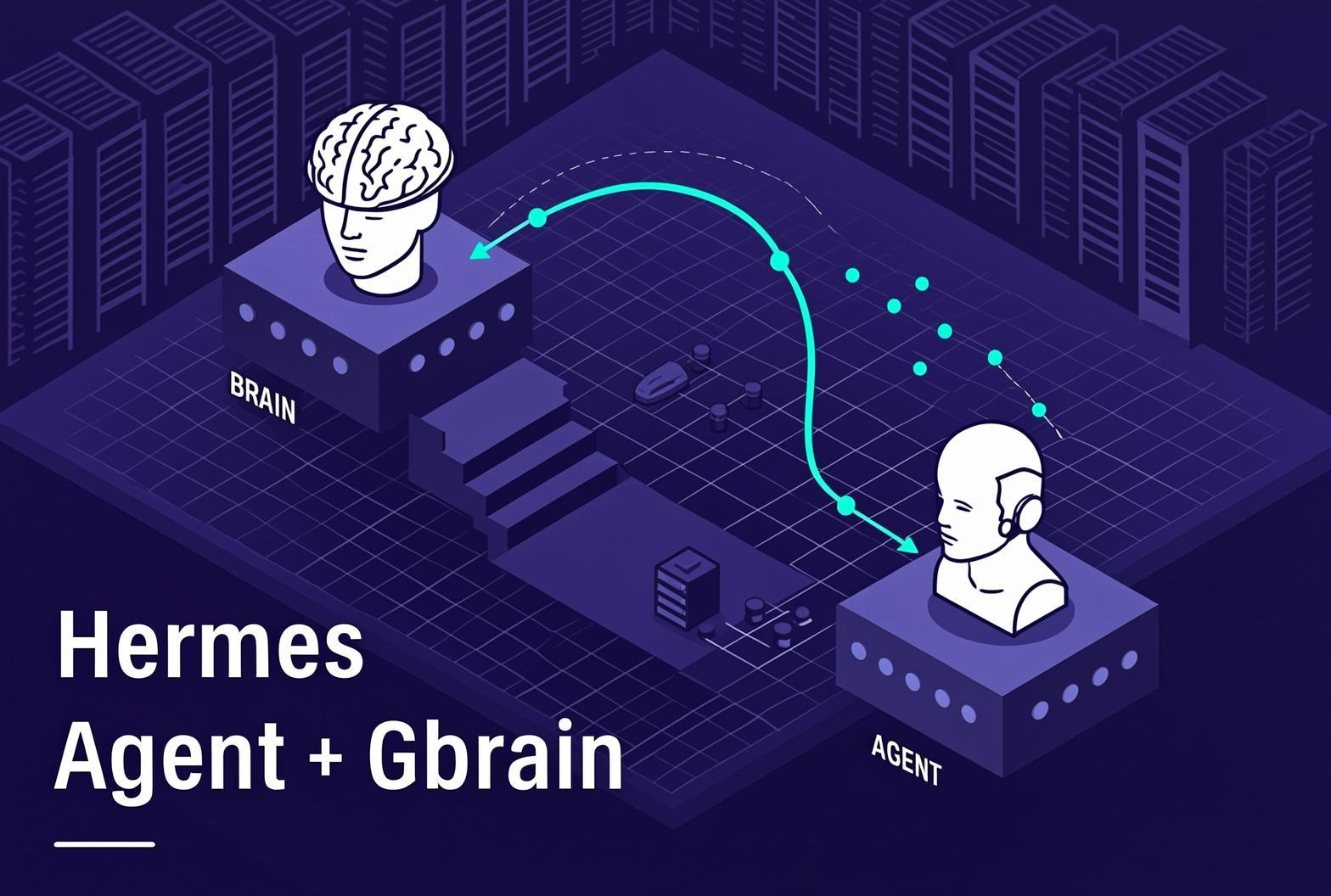
We've been watching the self-hosted agent space shake out this year. OpenClaw got the numbers - the ClawHub marketplace, fifteen-odd messaging platforms, a hosted path. But every time we looked it had another advisory: a 9.1 sandbox escape, the ClawHavoc supply-chain mess, Microsoft calling its defaults "overly permissive for enterprise environments."
Hermes Agent, the new one out of Nous Research, just feels more put-together. Seven security layers designed in from the start. Container-first. A background curator that prunes its own skills. It reads like the one you'd actually bet a business on.
What follows is a walkthrough for running the full thing on your own hardware - Hermes with GBrain for memory, Infersec as the powerhouse, and the embeddings that used to be the one call leaking out to the cloud now part of the stack.
Why Hermes over OpenClaw
People keep asking, so: an honest comparison. OpenClaw is broader - more platforms, a plugin marketplace, a hosted option. It also spent its first quarter shipping CVEs. A 9.1 sandbox escape, an MCP auth bypass, the ClawHavoc campaign that pushed over a thousand malicious packages through ClawHub. Enterprise security teams noticed. The full breakdown is in innFactory's comparison.
Hermes went the other way. MIT-licensed, self-host only, no marketplace to poison. The security model is seven layers documented up front: gateway auth, dangerous-command approval with a hard blocklist that ignores overrides, container isolation, MCP credential filtering, context-file scanning for prompt injection, cross-session isolation, input sanitisation. It launched in March and shipped six releases in fifty days. For an agent you'd hand real access to, that's the shape you want.
The models and the box
For the agent itself we'd run Qwen 3.6, the 35B-A3B mixture-of-experts - only 3B active per token, so it's cheap to feed. Hybrid attention, a native vision encoder, the whole line re-pointed at agentic coding. It's the model people mean when they say local coding stopped being a compromise. Our recommended models page has the full reasoning.
For embeddings, embeddinggemma-300m-qat. Google's QAT-trained variant, 768 dimensions, quantised to Q8_0 with no measurable quality loss, first-party on HuggingFace under ggml-org. Small enough to sit alongside the chat model without crowding it, tagged feature-extraction so Infersec picks it up automatically as an embeddings source. It's the one we actually run.
The box: a Minisforum MS-S1 Max is the current favourite AMD mini. Strix Halo (Ryzen AI Max+ 395) with up to 128GB of LPDDR5x at 256 GB/s, shared between CPU and GPU. That unified pool is the whole point; it'll hold a big model and still leave room for the embedding service alongside it. On Apple, a Mac mini with the M4 Pro and 48 or 64GB does the same job. Self-hosted quality caught up to the cloud a while back - we wrote about that recently - and these machines are why.
Why Hermes needs GBrain
Out of the box, Hermes remembers roughly 1,300 tokens. Two files - MEMORY.md and USER.md - hand-curated, frozen into the prompt at session start, plus full-text search over old chats. It's deliberately small. Useful, but it means the agent forgets almost everything that doesn't fit on a post-it note, and it has no real sense of your material beyond what you typed in by hand.
This is the gap GBrain fills. It indexes your notes and docs, wires a knowledge graph out of them with no extra prompting, and answers with citations plus an honest note on what it doesn't know yet. Instead of a vague "we may have covered something like this," you get "the corpus supports this, here are three sources, and this one's gone stale." It is the difference between a notebook and a librarian.
The catch: installing GBrain is not enough on its own. Hermes ships with its own native memory tool that writes to a local memories/ directory, and left to itself that is what it will use. You have to deliberately route memory ops to GBrain - either by editing SOUL.md to point every memory write at the MCP tools, or by disabling the native memory toolset in config.yaml. Worth knowing before you wonder why nothing's showing up.
For a team this is where the setup earns its keep. Plug Hermes into the places work actually happens - Slack, email, the coding workflows - and GBrain becomes the long-term memory across all of it. Who decided what, and when. Which features ship under which constraints. What a project's shape really is, beyond what's in the ticket tracker. The kind of context that lives in heads and chat threads and gets lost the moment someone goes on leave.
GBrain leans on embeddings to do any of this. Which is the other half of the story.
The topology, and the new bit
Hermes is the hub. GBrain plugs in as an MCP server. Infersec sits behind both - one endpoint, two sources on your hardware, two models behind it. The chat model serves the agent's reasoning; the embedding model feeds GBrain's vector store. One URL, one API key, both services pointing at the same place.
The new bit: Infersec just shipped embedding support. Models now carry a task type (text-generation or embeddings), and vLLM and llama.cpp spin up accordingly - an --embedding flag here, a --task embed there. There's a dedicated OpenAI-shaped /v1/embeddings route, and routing keeps chat traffic off your embedding sources and vice versa.
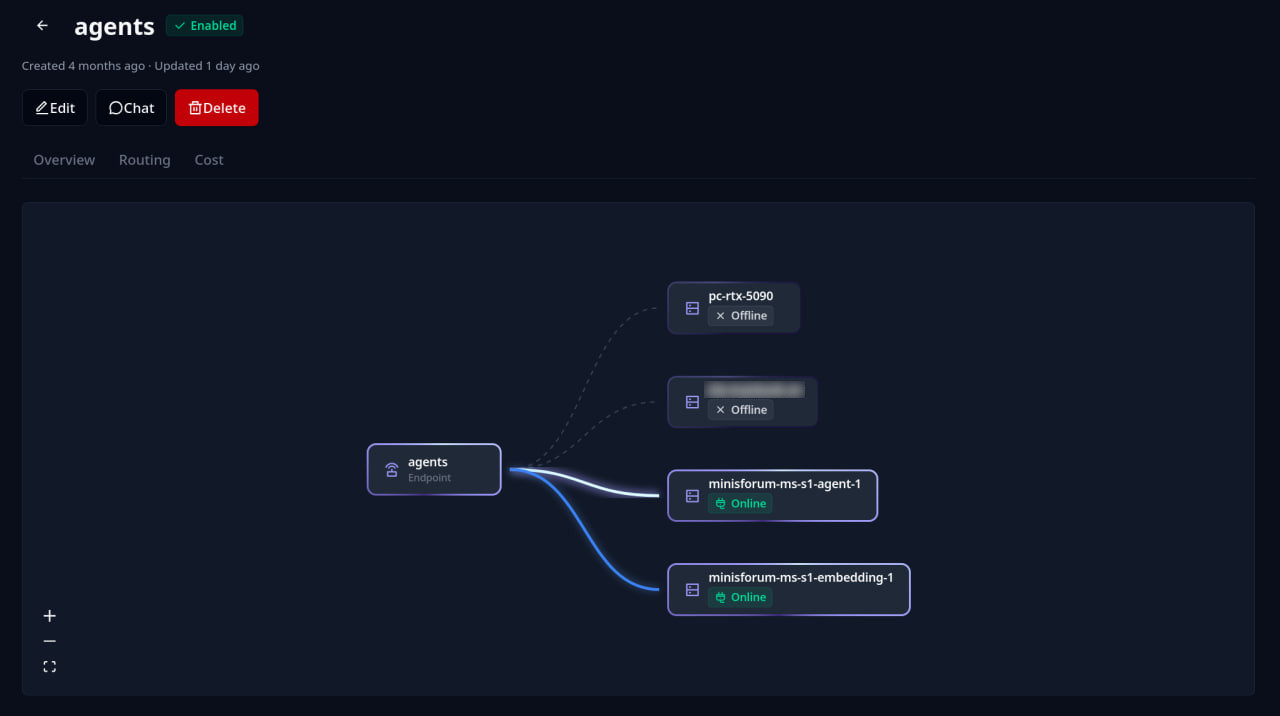
Until this landed, self-hosting GBrain meant its vector store either phoned a cloud embedding API or went without semantic search entirely. That was the one leak in an otherwise private stack. Not any more.
One endpoint, two models
This is the bit worth pausing on. You don't stand up two endpoints and juggle two keys - Infersec lets a single endpoint carry two sources and two models, and route between them by task. In the console:
- Create the chat model - Qwen 3.6, with the
text-generationtask type. - Create the embedding model - embeddinggemma-300m-qat, with the new
embeddingstask type. - Attach each model to a source on your hardware.
- Stand up one endpoint carrying both models.
- Cut one API key.
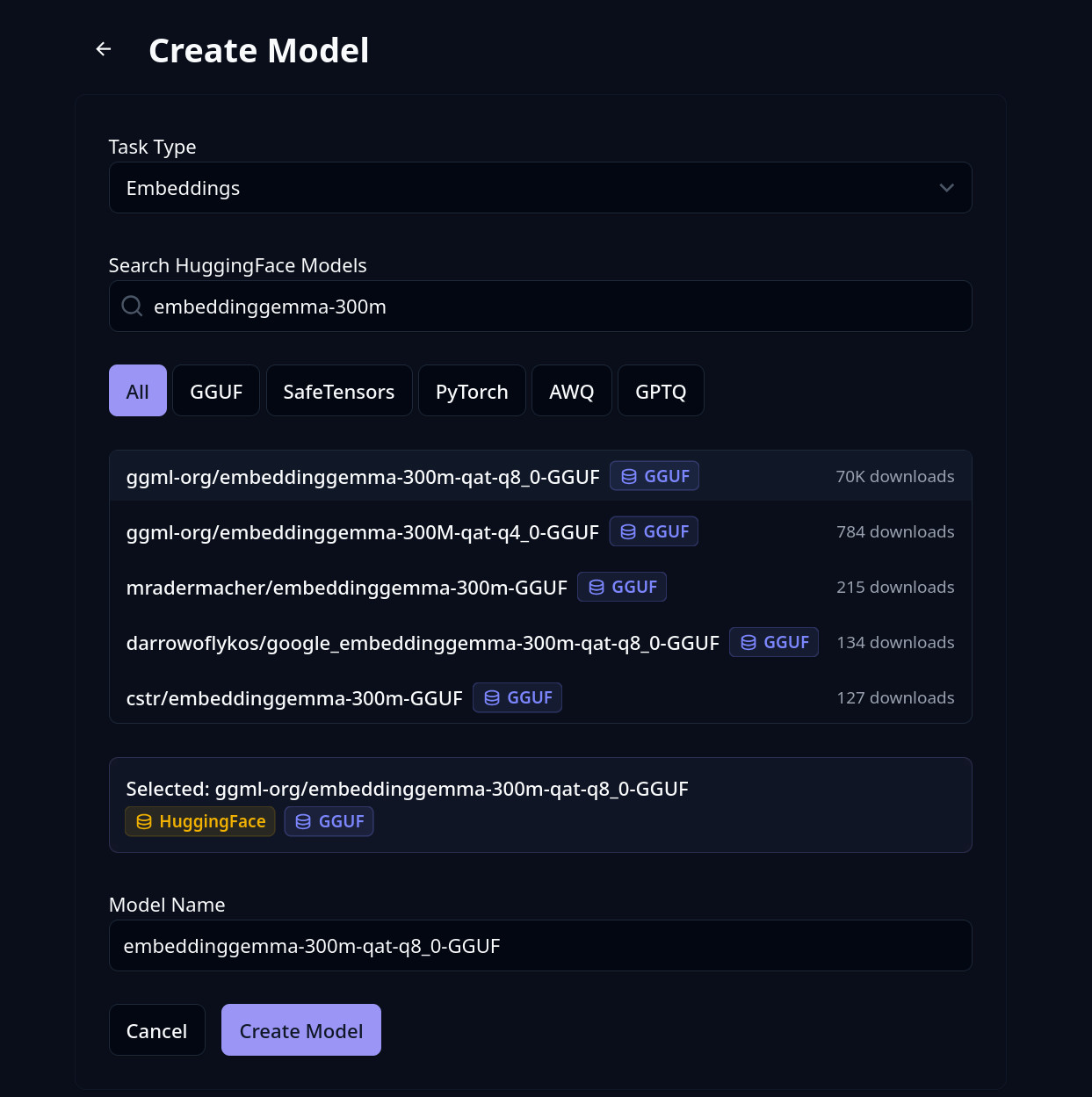
Both Hermes and GBrain now point at the same base URL with the same token, and Infersec sends chat traffic to the chat model and embedding traffic to the embedding model. The embeddings bills as input tokens only, so it's cheap to leave running while GBrain indexes.
If you've not wired a source up before, the Opencode walkthrough covers the source-and-conduit side in detail - the same steps apply here.
Run Hermes on Infersec
Hermes is Docker-first. Run the container, then point it at your Infersec endpoint as a custom OpenAI-compatible provider - four lines:
hermes config set model.provider custom
hermes config set model.base_url https://api.infersec.ai/api/inferencing/<ENDPOINT_ID>/oai/v1
hermes config set model.api_key <INFERSEC_API_KEY>
hermes config set model.default default
That's the same base URL GBrain will use further down - one endpoint, one key, two consumers. The agent is now reasoning on Qwen 3.6 on your own hardware. The Hermes quickstart has the full CLI; the container-backend docs cover a dockerised gateway.
Pick a profile, give it a peer name, and you've got an agent. Clever, but still amnesiac - which is the next step.
Plug GBrain into Hermes
GBrain runs as an HTTP MCP service. Stand it up in Docker (PGLite for a solo brain, Postgres plus pgvector for a team), then point it at the same Infersec endpoint via its Ollama-compatible provider and run init:
export OLLAMA_BASE_URL=https://api.infersec.ai/api/inferencing/<ENDPOINT_ID>/oai/v1
export OLLAMA_API_KEY=<INFERSEC_API_KEY>

gbrain init \
  --non-interactive \
  --url "$DATABASE_URL" \
  --embedding-model ollama:default \
  --embedding-dimensions 768
Two flags matter and neither is obvious. --non-interactive routes to the Postgres branch - without it, gbrain silently picks PGLite and overwrites your config. --embedding-dimensions 768 has to match the model (embeddinggemma-300m-qat is 768). The personal brain tutorial covers the rest of the config; the bits that actually bit us are below.
Run it in HTTP mode, not stdio:
gbrain serve --http --port 7333 --bind 0.0.0.0 --public-url https://gbrain.example
stdio exits when stdin closes, which in a container is immediately. HTTP with --bind 0.0.0.0 is the only thing that survives a restart.
Auth: the bootstrap admin token rotates on every pod restart, which will catch you out. Mint a stable one with gbrain auth create "hermes" and use that. For production, pin it up front with the GBRAIN_ADMIN_BOOTSTRAP_TOKEN env var and pass --suppress-bootstrap-token.
Wire it into Hermes - one command, pointing at the same Infersec base URL you gave Hermes itself, with GBrain mounted as an MCP server:
hermes mcp add gbrain --url http://gbrain:7333/mcp
Then do the routing work we mentioned earlier - edit SOUL.md to send every memory op at the mcp_gbrain_* tools, or disable the native memory toolset in config.yaml. Ask the agent "where do you save my details?" - the right answer is "GBrain," and if it says anything else the redirect hasn't taken.
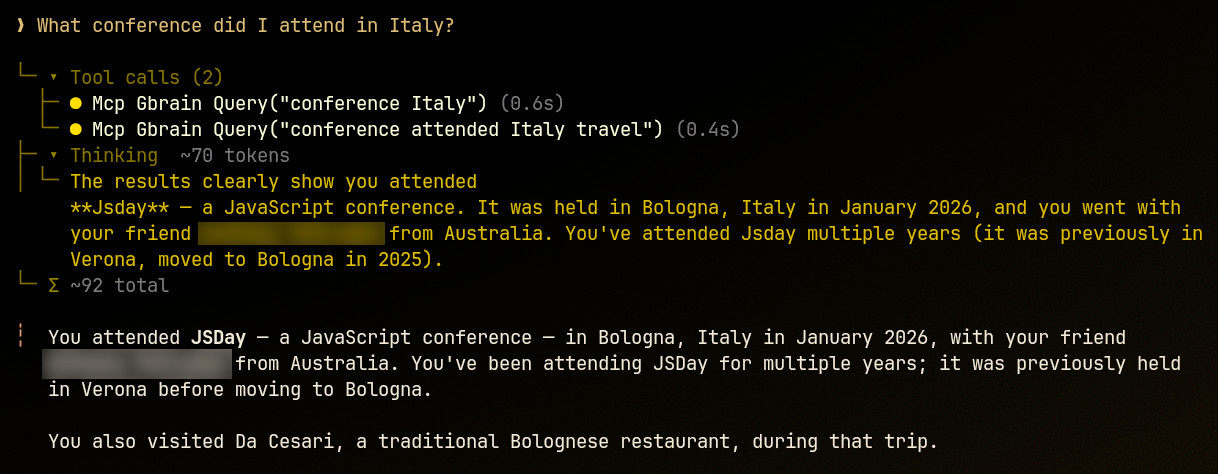
root@gbrain-b9bc68dc9-87cxm:/app# gbrain list
events/jsday            concept 2026-06-25      Jsday
places/da-cesari        concept 2026-06-25      Da Cesari
people/a-friend         person  2026-06-25      A Friend
wiki/timezones          wiki    2026-06-24      Timezones
people/x-mitchell       person  2026-06-24      X Mitchell
companies/a-compnay     company 2026-06-24      A Company
companies/vault-garden  company 2026-06-24      Vault Garden
companies/another       company 2026-06-24      Another
people/xx-mitchell      person  2026-06-24      XX Mitchell
people/xxx-mitchell     person  2026-06-24      XXX Mitchell
Start with the read-only tools (search, get page, links) and only expose the write and admin tiers once you've got backups and a rollback boring enough to trust.
Soak it up.
What you end up with is a self-hosted agent that knows your material and can show its sources, running on a box under your desk, with not one request leaving the network - reasoning, memory and embeddings included. That finally feels business-ready.
Sign up for early access if you want to point it at your own hardware.